PREMIUM Hunt Showdown CHEATS

Hunt Showdown Cheats for PC. Aimbot, ESP, Item ESP & Full Customization.

Check out our Hunt Showdown Cheats for PC with a customizable aimbot, detailed ESP and complete item tracking. Fine-tune your aim with adjustable smoothness, FOV and bone selection, highlight hunters, zombies and dummies, and spot weapons, traps and supplies across the map.

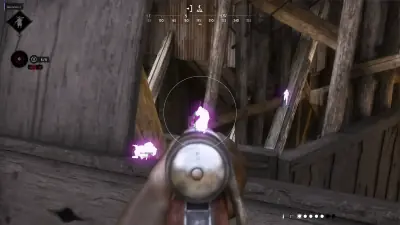
Hunt Showdown aiming at outlined hunters beside a wooden compound.

PC

Platform

Custom

Aim

ESP

Visuals

Cloud DMA

Setup

Custom FOV
Aim Smoothness
Player ESP
Zombie ESP
Skeleton
Item ESP
Traps
Bone Selection
Keybinds
Windows 10 & 11
HVCI enabled
Core Isolation enabled
TPM enabled
Secure Boot enabled
Cloud DMA required for full functionality on supported builds
Custom FOV
Aim Smoothness
Player ESP
Zombie ESP
Skeleton
Item ESP
Traps
Bone Selection
Keybinds
Windows 10 & 11
HVCI enabled
Core Isolation enabled
TPM enabled
Secure Boot enabled
Cloud DMA required for full functionality on supported builds

Features

What's included in Hunt Showdown Cheats

All feature sets built for Hunt Showdown, from precise targeting to full map awareness. Every option is adjustable, so you can set it up the way you play.

Aimbot Options

Precise targeting, tuned your way

Lock onto targets with settings you control. Change the smoothness, range and field of view to fit your playstyle.

  • Enable Aimbot
  • Customizable aim keybind
  • Customizable aim smoothness
  • Customizable aim distance
  • Customizable aim FOV
  • Aim Always
  • Target players, zombies and dummies
  • Draw FOV circle
  • Bone selection: Head, Neck, Body, Pelvis
ESP Options

See every hunter and monster before they see you

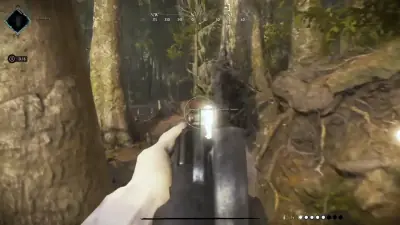
Get clear visuals on players, zombies and dummies at a glance, with plenty of styles to choose from.

  • Player, Zombie and Dummy ESP
  • Box styles: Box2D, Corner, Box3D
  • Filled boxes: Static or Gradient
  • Health bar: Static, Health based or Gradient
  • Glow
  • Skeleton
  • Nickname
  • Distance
  • Line
  • Adjustable rendering distance

Item ESP

Know what is lying around before you walk in

Spot weapons, traps and objects across the map so you can plan your route and your loadout.

  • Enable Item ESP with a keybind
  • Show distance
  • Battle Mode
  • Weapons: Pistol, Rifle, Shotgun, Sniper, Crossbow, Other
  • Grenades
  • Interactive objects
  • Boxes
  • Traps
  • Skills
  • Drones

Aimbot Features

Aimbot Built Around Your Playstyle

Dial in how your aim behaves with adjustable range, field of view and smoothing. Pick your targets and your bone, then bind it to the key that feels right.

Activation & Keybind

Switch It On, Bind It Your Way

Turn the aimbot on and assign it to any key you like, or leave it running in the background.

  • Enable or disable the aimbot with one option.
  • Set your own aim keybind.
  • Use Aim Always for hands-free targeting.
  • Change settings any time during a match.

Target Selection

Choose Who Gets Locked On

Decide which enemies the aimbot can pick up, so it only reacts to what you want it to.

  • Target hunters.
  • Target zombies.
  • Target training dummies.
  • Mix and match target types.

Aim Smoothness

Natural Movement or Instant Snaps

Control how quickly the crosshair travels to a target, from soft and subtle to sharp and fast.

  • Adjustable smoothness slider.
  • Tune the feel to match your own mouse movement.
  • Keep aim looking natural on stream or in replays.

FOV & Distance

Set the Zone and the Reach

Limit the aimbot to a specific circle on your screen and a maximum range so it never grabs a target you did not intend.

  • Customizable aim FOV.
  • Customizable aim distance.
  • Draw FOV circle on screen.
  • See your targeting area at a glance.

Bone Selection

Aim Exactly Where You Want

Choose which part of the target the aimbot focuses on.

  • Head
  • Neck
  • Body
  • Pelvis

ESP features

Clear Visuals for Every Target

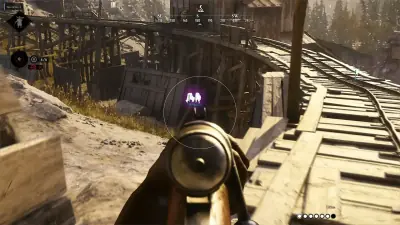
Spot hunters, zombies and dummies the moment they enter range. Mix box styles, health displays and extra details until the screen reads exactly how you want.

Entity ESP

Hunters, Zombies and Dummies in View

Switch on highlights for each type of target so nothing catches you off guard in the compounds or out in the swamp.

  • Player ESP.
  • Zombie ESP.
  • Dummy ESP.
  • Toggle each type on its own.

Box Styles

Pick the Outline That Suits You

Choose how targets are framed on screen, from clean 2D boxes to full 3D outlines.

  • Box2D.
  • Corner box.
  • Box3D.

Filled Boxes

Add Color Behind the Frame

Fill your boxes to make targets stand out against dark interiors and thick foliage.

  • Static fill.
  • Gradient fill.
  • Pairs with any box style.

Health Bars

Read Enemy Condition Quickly

Show how much health a target has left before you commit to a fight.

  • Static health bar.
  • Health based color.
  • Gradient health bar.

Glow & Skeleton

Outlines That Cut Through the Clutter

Highlight the full silhouette of a target or draw the bones to see exactly how they are moving.

  • Glow effect on targets.
  • Skeleton overlay.
  • Easy to read in low light.

Extra Details

Names, Distances and Tracer Lines

Add the small details that help you decide where to go next.

  • Nickname display.
  • Distance readout.
  • Line to each target.
  • Adjustable rendering distance.

Item ESP Features

Know What Is Out There Before You Get There

See weapons, traps, supplies and more across the map. Plan your route, grab the right gear and avoid nasty surprises.

Item ESP Controls

Quick Access, Clear Info

Turn item highlights on or off with a keybind and keep your screen tidy when you need to.

  • Enable Item ESP.
  • Assign a keybind.
  • Show distance to each item.
  • Battle Mode option for fight situations.

Weapon Highlights

Spot Every Weapon Class

Find the gear you want quickly, whether you run a sidearm or a long gun.

  • Pistols.
  • Rifles.
  • Shotguns.
  • Snipers.
  • Crossbows.
  • Other weapons.

Throwables & Tools

Grenades, Skills and Drones

Keep track of the extras that can swing a fight in either direction.

  • Grenades.
  • Skills.
  • Drones.

Objects & Hazards

Interactive Objects and Traps

Highlight what you can interact with and what could hurt you along the way.

  • Interactive objects.
  • Boxes.
  • Traps.

Store

Our products

Compare the cheat menu and the utilities on this grid. Open a product page for the feature list and checkout.

HWID Spoofer for Supported Games

Disk serials, MAC addresses, and GPU IDs get a new pass. The cleaner in the license runs before the next sign-in.

After a hardware flag, this license rewrites disk serials. It also rewrites MAC addresses, GPU IDs, and related fingerprints. Trace cleanup is in the same license.

  • Disk serial rewrite
  • MAC rewrite
  • GPU ID rewrite

Cloud DMA

A Hyper-V environment for one Windows PC with guided installation and encrypted activation.

Cloud DMA requires GREENWARD, Static Server and AWS as separate purchases. Confirm the full setup and Hunt Showdown compatibility before ordering.

  • Single-PC setup
  • Guided Hyper-V installation
  • Encrypted activation

Why us

Hunt Showdown feature controls

Explore the targeting controls, visual tools and product guidance available before checkout.

  • Aim activation

    Use a custom aim key or Aim Always, with separate filters for hunters, zombies and dummies.

  • Targeting preferences

    Adjust FOV, range and smoothness, then choose Head, Neck, Body or Pelvis.

  • Visual styles

    Choose 2D, corner or 3D boxes with static or gradient fills.

  • Health and distance

    Combine health bars, names and distance labels with an adjustable rendering range.

  • Item categories

    Review weapons, traps, boxes and interactive objects in the Item ESP list.

  • Complete setup

    Cloud DMA is required for full functionality. GREENWARD, Static Server and AWS are separate required purchases.

<24h

Patch turnaround

Usual time to ship a loader after a big Hunt Showdown or EAC update.

24/7

Support

Discord help for setup, configs and account issues.

300+

Users

PC players using aimbot, ESP and tools on cheatshunt.com.

Setup guide

Before ordering, review your complete setup

Read the feature list and requirements, confirm unresolved compatibility questions, then review the destination checkout.

  1. Review the feature list

  2. Confirm compatibility

  3. Review purchase options

How it works

From product research to an informed purchase.

Review the complete configuration before choosing an access option.

4 checks before purchase

  1. 01

    Read the feature list

    Review targeting, hunter visuals and item categories on the main product page.

  2. 02

    Check your Windows setup

    Check Windows 10 or 11 and the required HVCI, Core Isolation, TPM and Secure Boot settings.

  3. 03

    Ask about the complete configuration

    Confirm where Hunt Showdown runs with Cloud DMA and account for GREENWARD, Static Server and AWS.

  4. 04

    Review the destination checkout

    Check current pricing, access terms and delivery details with the seller before paying.

Blog

Guides and updates

Feature explanations, Windows requirements and gameplay guides for Hunt Showdown.

An honest explanation of how bans work in Hunt Showdown, the difference between account and hardware bans, and how risk is judged.

A balanced comparison of DMA and software cheats covering setup, complexity, cost and risk.

How to prepare your system and approach a first launch, with the common mistakes that cause most setup problems.

System requirements

Check your PC before purchasing

Review the Windows security settings and separate requirements for the supported configuration.

Windows Compatibility

Windows 10 or Windows 11, 64-bit.

Windows Security

HVCI and Core Isolation must be enabled.

Firmware Security

TPM and Secure Boot must be enabled.

Cloud DMA Requirement

Required for full functionality on supported builds. Purchased separately.

Support

Need a hand with your setup?

Find answers to common questions or contact support about an order, compatibility, or a technical issue.

Before you reach out

Details that help us help you

  1. 01

    Order details

    Include your order number when asking about a purchase.

  2. 02

    Your setup

    Name the product and your Windows version.

  3. 03

    What happened

    Share the exact error message or a relevant screenshot.

FAQ

Questions about this page

Answers for this page. The FAQ page holds the rest.