
Hunt Showdown Cheats for PC
Explore adjustable aimbot, hunter ESP and Item ESP. Check Windows security settings and Cloud DMA requirements before purchase.
Product Overview
At a glance
Key capabilities
The short list for Hunt Showdown Cheats, before the full module list.
Overview
Hunt Showdown Cheats for PC
How the listed modules and the status banner fit a Hunt Showdown match.
Explore Hunt Showdown Cheats with a customizable aimbot, detailed ESP and full item tracking. Set up your targeting, choose how enemies and loot appear on screen, and adjust every option to match how you hunt.
Hunt Showdown Aimbot & Targeting
The aimbot gives you control over when it works, who it targets and where it aims. Tune the smoothness, range and field of view until it feels right for your style.
Available aimbot options include:
- Enable or disable the aimbot.
- Custom aim keybind and Aim Always mode.
- Adjustable smoothness, distance and FOV.
- Draw FOV circle on screen.
- Target hunters, zombies or training dummies.
- Head, Neck, Body and Pelvis bone selection.
Hunt Showdown ESP & Visuals
ESP lets you decide how targets are drawn on your screen. Combine different box styles, health displays and extra details to build a layout that reads clearly in any situation.
Available ESP options include:
- Player, Zombie and Dummy ESP.
- Box2D, Corner and Box3D styles.
- Static and Gradient filled boxes.
- Static, Health Based and Gradient health bars.
- Glow and Skeleton overlays.
- Nickname, Distance and Line indicators.
- Adjustable rendering distance.
Hunt Showdown Item ESP & Map Awareness
Item ESP highlights the gear and objects around you, so you can plan your route and your loadout. Each category can be switched on or off to keep your screen clean.
Available Item ESP options include:
- Enable option with keybind.
- Distance display and Battle Mode.
- Pistol, Rifle, Shotgun, Sniper and Crossbow highlights.
- Other weapons and Grenades.
- Interactive objects, Boxes and Traps.
- Skills and Drones.
Windows Requirements & Compatibility
Hunt Showdown Cheats supports Windows 10 and Windows 11.
Published system requirements include:
- HVCI enabled.
- Core Isolation enabled.
- TPM enabled.
- Secure Boot enabled.
- Cloud DMA needed for full functionality on supported builds.
Make sure your PC meets every listed requirement before you buy. If you are unsure about your setup, contact support first.
Anti-Cheat Consideration: Hunt Showdown uses anti-cheat protection, and third-party cheat software may violate the game's terms of service. This can lead to account or server restrictions. No third-party product can guarantee immunity from detection or enforcement.
Before you order
Check the current Hunt Showdown build with support and review Windows 10 or 11, HVCI, Core Isolation, TPM and Secure Boot. Cloud DMA is required for full functionality on supported builds. Its GREENWARD, Static Server and AWS dependencies are separate purchases; Static Server and AWS are different products.
Purchase options and fulfillment
View Purchase Options opens the seller checkout through an affiliate link. Cheats Hunt may earn a commission. The seller presents current prices, access terms and delivery details and handles payment and product fulfillment. Read those terms before paying.
Modules
What's included
The full option list for Hunt Showdown Cheats. Each line can be switched in the menu.
- Enable Aimbot
- Customizable aim keybind
- Customizable aim smoothness
- Customizable aim distance
- Customizable aim FOV
- Aim Always
- Target players, zombies and dummies
- Draw FOV circle
- Bone selection: Head, Neck, Body, Pelvis
- Player, Zombie and Dummy ESP
- Box styles: Box2D, Corner, Box3D
- Filled boxes: Static or Gradient
- Health bar: Static, Health based or Gradient
- Glow
- Skeleton
- Nickname
- Distance
- Line
- Adjustable rendering distance
- Enable Item ESP with a keybind
- Show distance
- Battle Mode
- Weapons: Pistol, Rifle, Shotgun, Sniper, Crossbow, Other
- Grenades
- Interactive objects
- Boxes
- Traps
- Skills
- Drones
Experience
Gameplay indicators · Purchase guidance
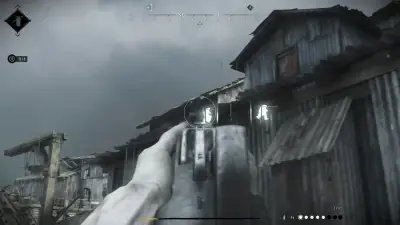
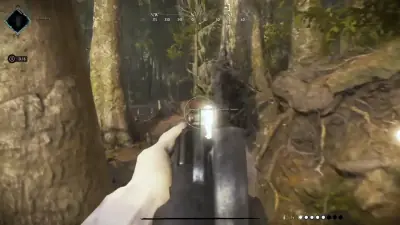
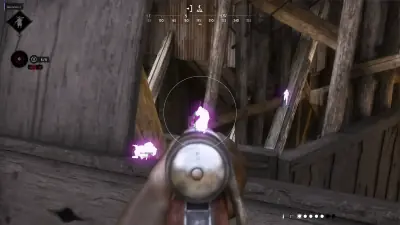
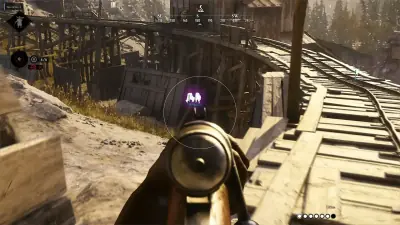
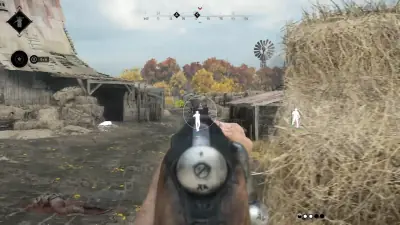
Explore the supplied Hunt Showdown captures, then review the features and complete setup requirements.
In-game layers
- Layer A
Hunt Showdown gameplay 1
Owner-supplied gameplay capture with targeting and visual indicators.
- Layer B
Hunt Showdown gameplay 2
Owner-supplied gameplay capture with targeting and visual indicators.
- Layer C
Hunt Showdown gameplay 3
Owner-supplied gameplay capture with targeting and visual indicators.
- Layer D
Hunt Showdown gameplay 4
Owner-supplied gameplay capture with targeting and visual indicators.
- Layer E
Hunt Showdown gameplay 5
Owner-supplied gameplay capture with targeting and visual indicators.
More products
Pairs well with
Utilities sold beside the cheat. Each one keeps a separate page.
- HWID Spoofer After a hardware flag, this license rewrites disk serials. It also rewrites MAC addresses, GPU IDs, and related fingerprints. Trace cleanup is in the same license. View details: HWID Spoofer
- Cloud DMA Cloud DMA requires GREENWARD, Static Server and AWS as separate purchases. Confirm the full setup and Hunt Showdown compatibility before ordering. View details: Cloud DMA
- Skin Changer Cosmetic customization for supported titles. Hunt Showdown support is not explicitly confirmed; ask support before purchasing for this game. View details: Skin Changer
FAQ
Questions about this page
Answers for this page. The FAQ page holds the rest.
Windows 10 and Windows 11 are supported. Other operating systems are not.
Four settings must be switched on before you start:
- HVCI.
- Core Isolation.
- TPM.
- Secure Boot.
Yes. Cloud DMA is needed for full functionality, so plan for it before you buy. If you are unsure about your setup, ask support first.
You get a full set of controls:
- Enable or disable the aimbot.
- Aim keybind.
- Aim smoothness.
- Aim distance.
- Aim FOV.
- Aim Always.
- Draw FOV circle.
- Bone selection.
It highlights enemies and creatures through its visual options:
- Player ESP.
- Zombie ESP.
- Dummy ESP.
- Boxes.
- Health bars.
- Glow.
- Skeleton.
- Nicknames.
- Distance.
- Lines.
It covers a wide range of map items:
- Pistols, rifles, shotguns, snipers and crossbows.
- Other weapons.
- Grenades.
- Interactive objects.
- Boxes.
- Traps.
- Skills.
- Drones.
Current access options, prices and terms are shown at the destination checkout. Use View Purchase Options to review the available choices before paying.
No. No cheat software can guarantee it will never be detected. Using it in an online game carries the risk of account action, so only buy if you accept that.
Blog
Related guides
Filter by topic to find setup guides, feature deep-dives, and patch-day notes.
What Hunt Showdown cheats actually do, what separates a good one from a bad one, and what to check before you spend money.
A short checklist for anyone about to buy Hunt Showdown cheats, from payment and support to updates and refund terms.
What pushes Hunt Showdown cheat prices up or down, and how to judge value instead of chasing the lowest number.
A plain explanation of ESP in Hunt Showdown and how having extra information changes the way a hunt plays out.
Hunt Showdown community forum
Read discussion
Read-only discussions supplied by the site owner. Archived compatibility notes and prices reflect their original dates; confirm current details with the seller.
- Hunt Showdown Discussion What Does Player ESP Actually Show in Hunt Showdown? A discussion about Player ESP in Hunt Showdown, including enemy indicators, zombie detection, health bars, skeletons and different visual display options.
- Hunt Showdown Discussion Hunt Showdown Aimbot Settings Explained: FOV, Smoothness and Bone Selection A discussion covering Hunt Showdown aimbot configuration options, including adjustable FOV, aim smoothness, target distance, activation keybinds and selectable target bones.
- Hunt Showdown Discussion Hunt Showdown Item ESP: Which Weapons, Traps and Objects Are Supported? Hunters discuss the Item ESP options available for weapons, grenades, traps, boxes, interactive objects, skills and other listed item categories.